Tuesday, 24 May 2016

Welcome to Unreal Engine 4


For this new term project. We have been given the task to design and create a small full working level, using the new Unreal Engine. The level can literally be themed on anything we can think off, whether its a medieval diner. Or a star wars based star ship.

Level requirements


  • No more than 50 x 50 units (1 UE4 unit = 1cm)
  • Character must stand at approximately 180cm high
  • 1x working door
  • 1x working elevator (Button activated if necessary) 
  • Exit room

Monday, 23 May 2016

Deciding on a theme


Choosing on a theme has grown to be quite a challenge for me. As long as I can remember, I could never stick to one certain idea. I would create one idea, then when its near completion. completely erase everything and start again.

However, one of my classmates thought it would be a good idea to create a replica of a certain building from either J.R.R Tolkiens movie Lord of the rings. Or design a small village based on The Elder Scrolls. Now both the lord of the rings and the elders scrolls are my favourite film series and game series. so I think this was the first time ever I finally new what them I wanted to go for, for my level creation.

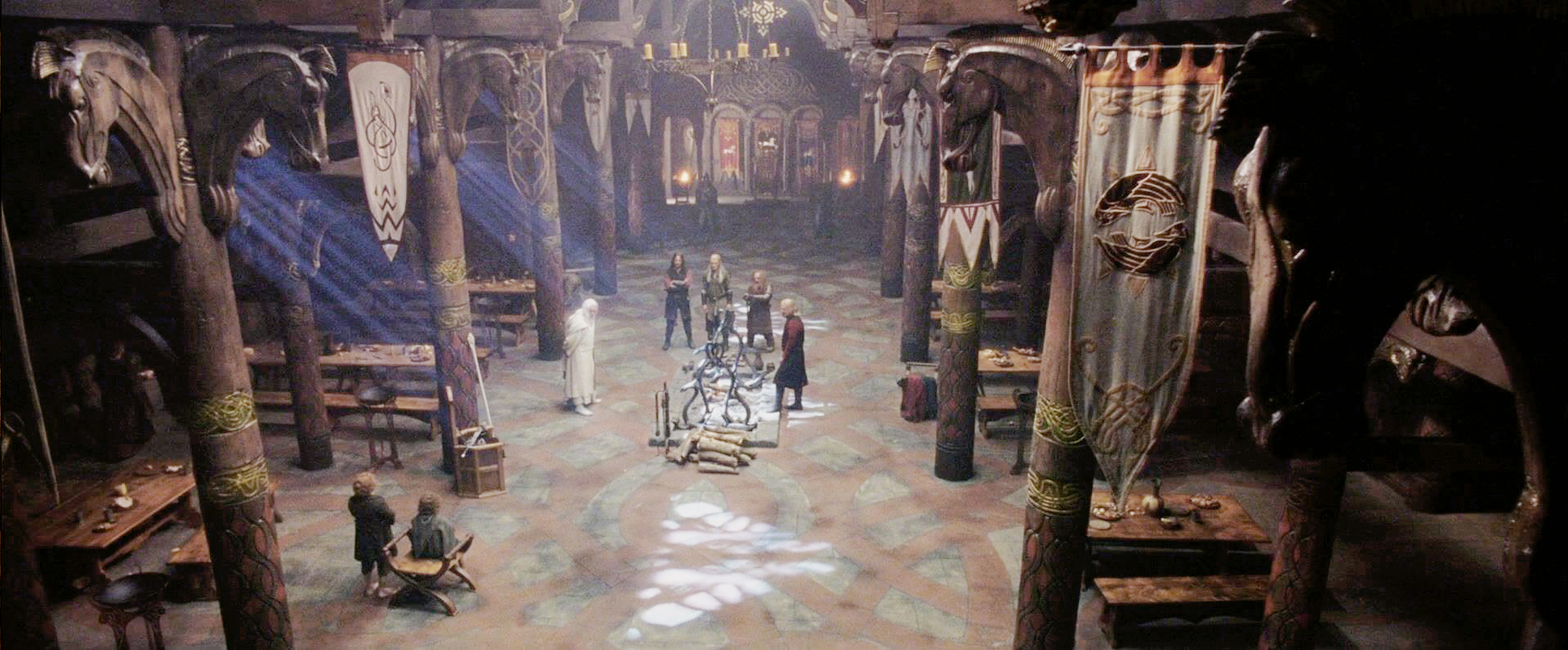
I decided I want to design a medieval hall based on the Edoras (the golden hall of Rohan) from Lord of the rings. I loved the simple yet detailed royal hall, filed with horse themed banners and shields, and a single throne at the end of the hall where Theoden king (king of rohan) sits.


Sunday, 22 May 2016

blocking out the level


Now that I have finally decided on a suitable theme for my level creation. It is now time to start blocking out my level in the Unreal engine. Blocking out is simply taking simple blocks and placing them in certain locations to represent where certain objects are going to be in your level.


As you can see. I have tried my very best to map out where certain pillars and arch ways are going to go. I have also used simple blocks to represent where tables and chairs are going to go as well. Doing this will make things lot easier when it comes to placing objects into the level

Saturday, 21 May 2016

testing texturing and lighting


Since I have never truly used Unreal Engine until now, I decided to start to mess around with a few already made textures that are put into the engine by default. And also started to mess around with a few lighting methods. Since the only modelling software I have ever used is 3DS Max, I have never really been able to understand how lighting and shadows work in 3DS Max. However, in the Unreal Engine, the lighting engine is so much better and so much easier to understand. Designers can simply drag and drop the light source that they want to use for there level, and also decide what colour the light is and how bright it is.

The main issue I faced when messing around with the lighting and textures, was what type of model would I use to fit the type of light source for my level. Would I use mainly candles, and torches. Or maybe just go for a simple window light source, and use the Sky source tool to play around with the full lighting off the level by generating off the sky sphere.


Friday, 20 May 2016

modelling and finer detail


Moving forward on the level creation project. I have now started working on simple models to add to my level. Even though they are only straight forward designs, and simple texturing. they really start to bring the level to life.

I have only started to put in, tables and a few pillars to add more detail to the level. Now I have not yet decided on what texture I should put onto the pillars, but I have fully textured the tables and because there such a simply design. I think I will keep them until the final stage of the project. I may add certain objects to put on the tables further on in the project. But for now I will leave them as they are.


On a further note, I have started to work on the walls of the level. I am quite proud of the design I have created for the walls, because at first, the walls were only going to have a simple wood texture. But now I have created a full model of the walls in 3DS Max and created a very detailed (multi-textured) beamed wall.




Thursday, 19 May 2016

swords and extras


Since my level will be based on Lord of the rings, I have decided to create some swords and weapons that were used in the films. Even though adding weapons that the player cant even use isn't very important. These extras will definitely start to bring the whole level together and will add further detail to the level.


Wednesday, 18 May 2016

Research: Level creation


Since my level will be mainly based on the lord of the rings medieval style. I have decided to take a look at certain games that use this particular kind of art style.
The first game I looked at was Elder Scrolls Online (ESO). This massive multiplayer game which is based on the hit game series Elder Scrolls. Uses a very unique medieval art style, that puts the player inside medieval realm with dragons and other fantasy creatures.


As you can see in the image above. The game consists mainly of rock like structures and high mountain tops. This type of art style is the same type of style that the concept artists for Lord of the rings use in there movies. However, elder scrolls mainly use rocks and wood textures for there world, where as the textures in Lord of the rings, consist of many other textures other than wood and rocks.